Julius AI and ChatGPT both run code on your spreadsheet. Here is how they differ on file size, data connections, privacy and price, and which to pick.
AI for Data
Last updated: October 2026.
You have a spreadsheet: sales by month, survey answers, a membership list with 40,000 rows. You want to know what is in it, and you would rather not spend a weekend on pivot tables. Two names keep coming up: ChatGPT, which you probably already use, and Julius AI, a tool built specifically for analysing data.
Both will read your file, write code, run it and hand you charts. The differences are in the details that matter once you rely on them: how big a file they will take, whether they can connect to where your data actually lives, what happens to your file after you upload it, and how easy it is to check the answer. This guide compares them on exactly those points, using each company’s own pricing, help and privacy pages as checked in October 2026.
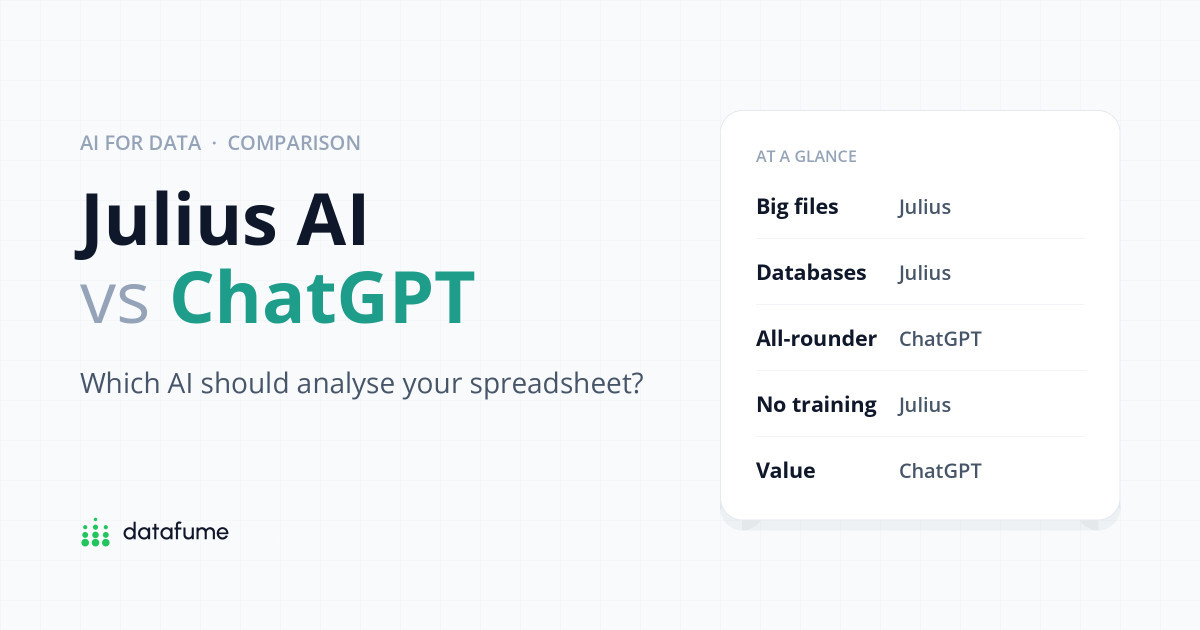
Short answer: If data analysis is a regular part of your job, especially with large files, databases or weekly reports, Julius AI is the more focused tool and its privacy defaults are stricter. If you analyse a spreadsheet now and then and also use AI for writing, research and everything else, ChatGPT (Plus or even the free plan) is good enough and better value. Whichever you pick, check the code and spot-check the numbers before you share anything.
| Julius AI | ChatGPT | |
|---|---|---|
| Built for | Data analysis only | Everything, with data analysis built in |
| Runs code on your file | Yes, Python or R, code visible | Yes, Python, code visible |
| Spreadsheet size | No official cap; limited by memory (16 GB Plus, 32 GB Pro) | About 50 MB per spreadsheet |
| Database connections | Postgres, MySQL, SQL Server, Snowflake, BigQuery and more | None built in; cloud files from Google Drive, OneDrive, SharePoint |
| Trains on your data | No, on any plan | Yes by default on Free, Plus and Pro (you can switch it off) |
| Free plan | 25 credits a day, lighter models | Yes, “limited” data analysis, 3 uploads a day |
| Paid from | $20/month (Plus) | $8/month (Go), $20/month (Plus) |
Scorecard
Julius AI vs ChatGPT for spreadsheets
DataFume rating from 1 (weak) to 5 (excellent)
DataFume’s judgement for a non-engineer analysing spreadsheets, based on each company’s documentation in October 2026. “Everything else” means writing, research and general questions.
Both tools work the same basic way, and it is worth understanding because it explains why they are far more reliable than asking a chatbot to “look at” your numbers. When you upload a file and ask a question, the AI writes a short program, runs it on a computer in the cloud, and reports what the program found. The arithmetic is done by the code, not by the language model guessing.
Julius writes Python or R and runs it in what it calls a secure cloud container, installing whatever libraries it needs. Each step can be expanded so you can read and copy the code and see its raw output, according to Julius’s own documentation.
The SPSS support is a quiet advantage if you work with survey data from a university or research agency. ChatGPT’s help pages list only XLSX, XLS, CSV and TSV as spreadsheet formats.
ChatGPT’s data analysis feature (once called Code Interpreter, then Advanced Data Analysis) writes and runs Python in what OpenAI’s help article describes as a “stateful Jupyter notebook environment”. Tables can display interactively, and bar, line, pie and scatter charts can be switched to interactive versions; other charts come back as images.
Two limits are worth knowing. The Python environment cannot reach the internet, so it cannot pull in live data. And OpenAI itself warns that very large or formula-heavy workbooks may not be fully analysed, and that values in scanned tables may not be read reliably. If your spreadsheet relies on formulas, ChatGPT sees the calculated values, not your logic.
The honest verdict: for a typical “what’s driving our sales?” question on a clean spreadsheet, both produce similar answers. Julius is noticeably more geared towards finished outputs such as dashboards and slide exports, while ChatGPT is stronger at the conversation around the data, such as explaining a method or drafting the email that goes with the chart.
This is where the two differ most clearly.
For most office spreadsheets, 50 MB is plenty: that is typically several hundred thousand rows. If you work with exports from a CRM, web analytics or a national statistics office that run into millions of rows, Julius is the safer choice.
Uploading a file is fine for a one-off question. If your data lives in a database or gets updated every week, you want the tool to connect to it directly.
Julius has built-in data connectors for PostgreSQL, MySQL, SQL Server, Snowflake, BigQuery, Supabase, Google Ads and Meta Ads, as well as Google Drive, OneDrive and SharePoint. Google Sheets works by pasting a share link set to “Anyone with the link can view”, which is worth thinking about before you do it with sensitive data. Julius’s own pages are not fully consistent about which connector needs which plan, so expect database connections to need a paid plan and confirm on the pricing page before you subscribe.
ChatGPT lets you attach files from Google Drive, OneDrive and SharePoint, and its connected apps cover tools like Slack, Notion and Box. We found no built-in way to connect ChatGPT directly to a database such as Postgres or Snowflake. Business plans can build custom connections to internal tools, but that is a job for your IT team, not a setting you switch on.
Many comparisons online say Julius has “notebooks” and “projects”. Its current documentation does not describe either, and its Custom Agents feature has been discontinued. What it offers now is custom instructions, reusable “skill” files that Julius can write for you, shared workspaces for teams and scheduled runs (three on Pro, unlimited on Business), which are handy for a report that should refresh every Monday.
The catch is file storage. According to Julius’s documentation, files uploaded on the free plan are deleted after one hour of inactivity, and files on paid plans after seven days of inactivity. Permanent storage is listed only for Enterprise. That is good for privacy, but it means you should keep your own copy of the data and save the code for anything you will need again.
ChatGPT has Projects on every plan, which group chats and files around one piece of work: up to 5 files on Free, 25 on Go and Plus, and 40 on Pro and business plans. Project files stay until you delete them. It also has memory and scheduled tasks, but note one gap from OpenAI’s help pages: a scheduled task created inside a project cannot use that project’s uploaded files, so automated spreadsheet reports are not really ChatGPT’s strength yet.
This is the section most people skip and should not. The two companies take different default positions.
Privacy
What happens to your file
Default settings on individual plans, October 2026
Sources: julius.ai security page, docs and privacy policy; OpenAI help centre and enterprise privacy page, checked October 2026. ChatGPT Business, Enterprise and Edu do not train on your data by default.
Julius’s security page answers the training question with one word: “Never.” It says your data is not used to train any models and that its AI providers are contractually barred from doing so. Bear in mind that Julius is a layer on top of other companies’ AI: its privacy policy names Anthropic, Google and OpenAI among the providers your information may be shared with in order to process it. Julius says it holds SOC 2 Type II certification, and that all data is stored and processed in the United States, which matters if you are bound by UK or EU data rules. You can ask for your information to be deleted when you cancel, and Julius says it will do so within seven business days.
On the Free, Plus and Pro plans, OpenAI may use your conversations, including uploaded content, to train its models unless you turn off Settings › Data controls › Improve the model for everyone. The help article does not mention the newer Go plan by name; we would assume it follows the same rule but could not confirm it. Two details catch people out: giving a thumbs up or down on an answer can still send that whole conversation for training even after you opt out, and Temporary Chats are not used for training but may be kept for up to 30 days.
The Business, Enterprise and Edu plans do not train on your data by default, according to OpenAI’s enterprise privacy page. If your employer has one of those, use it for work files.
One more piece of background: during the New York Times copyright case, OpenAI was ordered to keep consumer chats it would normally delete. OpenAI says that obligation ended on 26 September 2025 and it returned to deleting chats within 30 days, while still holding a limited set of data from April to September 2025 under legal hold. We found no newer official update.
Whichever tool you use, do not upload files containing customer names, health information or anything covered by a confidentiality agreement unless your organisation has approved that tool. Remove or replace personal columns first: the analysis rarely needs them.
Both companies are clear that the answers can be wrong. OpenAI’s terms say output “may not always be accurate”, and Julius’s terms make no promise about the accuracy of its output either. Research backs this up: academic studies of AI models working with spreadsheets and financial tables keep finding misread or invented numbers. Our guide to what ChatGPT can and can’t do for data analysis goes into the failure modes in more detail.
The good news is that because both tools show their code, you can check them without being a programmer. Five habits catch most mistakes:
Prices below are in US dollars from julius.ai/pricing and chatgpt.com/pricing. ChatGPT shows different prices in some countries, and VAT may be added.
| Plan | Julius AI | ChatGPT |
|---|---|---|
| Free | $0: 25 welcome credits plus 25 a day, lighter models | $0: limited data analysis, 3 uploads a day |
| Entry | Plus: $20/month ($16 billed yearly), 2,000 credits a month plus daily top-ups | Go: $8/month (may include ads) |
| Standard | Pro: $45/month ($37 billed yearly), 5,000 credits a month | Plus: $20/month |
| Power user | Higher tiers listed in Julius’s docs | Pro: from $100/month |
| Teams | Business: $450/month ($375 billed yearly), up to 50 people | Business: $25 per user/month ($20 billed yearly), minimum 2 users |
| Enterprise | Contact sales | Contact sales |
A note on Julius’s credits: Julius now charges credits per action rather than a fixed number of messages, so reviews that quote message limits are out of date. Running code and choosing stronger models use more credits, unused credits do not roll over, and you cannot currently buy top-ups. Julius’s pricing page and its credits documentation also disagreed on some figures when we checked, so look at the pricing page on the day you sign up.
On value, ChatGPT Plus wins for most people: the same $20 buys a capable data analyst and a general assistant. Julius Plus costs the same but only does data, so it earns its place when data is your daily work.
Decision guide
Four questions to pick your tool
Start at the top. Stop at the first yes.
For heavy, regular data work, yes: it handles larger files, connects to databases, schedules reports and does not train on your data. For occasional spreadsheet questions, ChatGPT does the analysis about as well and does much more besides, so it is better value.
Partly. Julius runs its own models and, on paid plans, lets you choose third-party models from companies including OpenAI and Anthropic. Its privacy policy names Anthropic, Google and OpenAI as providers your data may be shared with for processing, under contracts that bar them from training on it.
Yes. Upload an XLSX, XLS, CSV or TSV file of up to about 50 MB and ask questions in plain English. It writes and runs Python to answer. It sees calculated values rather than your formulas, and OpenAI warns that very large or formula-heavy workbooks may not be fully analysed.
Only if your organisation allows it. Julius says it never trains on your data and holds SOC 2 Type II certification; ChatGPT’s business plans also exclude training by default. On personal ChatGPT plans, switch off “Improve the model for everyone” first, and remove personal details from the file either way.
Yes. As of October 2026 the free plan gives 25 welcome credits plus 25 credits a day, uses Julius’s lighter models and deletes uploaded files after an hour of inactivity. It is enough to try a few analyses, not for regular work.
Not yet. You still need enough understanding to spot a wrong answer, which is why a little data literacy makes these tools far more useful and far less risky.
Keep going: see ChatGPT for data analysis: what it can and can’t do, practise on free datasets, and when you are ready to share results, compare Datawrapper vs Flourish for publishing charts.
Keep reading
Short, free guides that take you from zero to your first real analysis. No sign-up needed.

Join our newsletter for new data guides, tool reviews and free resources.
By subscribing you agree to our Privacy Policy and consent to receive emails from DataFume.
© 2026 DataFume. All rights reserved.