LiteSpeed Cache, WP Rocket, WP Fastest Cache, WP Super Cache, W3 Total Cache and more, compared with live WordPress.org data and pricing screenshots, plus which one fits your hosting.
Domains & Web

Last updated: November 2026. Install counts, ratings and versions were taken from WordPress.org’s official plugin data on 4 November 2026, and prices from each vendor’s pricing page the same day. Screenshots were captured live.
A cache plugin is usually the single biggest speed win on a WordPress site. Instead of building every page from PHP and the database for each visitor, it saves a ready-made copy and serves that. But the “best” plugin depends far more on your hosting than on any feature list. Pick the wrong one and you can end up with two caches fighting each other, or paying for features your host already gives you.
Short answer: On a LiteSpeed host (Hostinger and many cPanel hosts), use LiteSpeed Cache: it’s free and the most complete. On Apache or Nginx shared hosting, WP Rocket (from $5/month, billed yearly) is the easiest paid option, and WP Fastest Cache or WP Super Cache are solid free picks. On managed hosts like Kinsta, WP Engine or SiteGround, use the host’s own cache and don’t add a second page cache.
| Plugin | Price | Active installs | Rating | Last updated | Best for |
|---|---|---|---|---|---|
| LiteSpeed Cache | Free (some QUIC.cloud services paid) | 7M+ | 4.8 (2,778) | 3 Nov 2026 | Sites on LiteSpeed servers |
| WP Rocket | $5 / $10 / $25 a month, billed yearly | Not on WordPress.org | – | – | Easiest all-in-one, any host |
| WP Fastest Cache | Free; Premium from $49 one-time | 1M+ | 4.9 (4,229) | 2 Nov 2026 | Simple free setup |
| WP Super Cache | Free | 1M+ | 4.3 (1,346) | 2 Nov 2026 | Beginners who just need page cache |
| W3 Total Cache | Free; Pro $99/year | 900K+ | 4.4 (5,420) | 20 Oct 2026 | Technical users who want control |
| FlyingPress | From $59/year | Not on WordPress.org | – | – | Core Web Vitals-focused sites |
| SiteGround Speed Optimizer | Free | 1M+ | 4.2 (641) | 2 Nov 2026 | SiteGround customers |
| Breeze | Free | 300K+ | 3.6 (134) | 2 Nov 2026 | Cloudways customers |
| Cache Enabler | Free | 100K+ | 4.3 (139) | 27 Sep 2026 | Minimal, lightweight page cache |
Ratings are WordPress.org’s average with the number of ratings in brackets.
Before installing anything, check your hosting. Running two page caches at once (for example, a host’s server cache plus a plugin’s page cache) causes stale pages and odd bugs. The hosts themselves deal with this:
Not sure what your server runs? Open your site in a browser, press F12, reload, click the page request in the Network tab and look at the response headers. x-litespeed-cache means LiteSpeed; x-kinsta-cache, x-cache or x-varnish mean your host already caches pages.
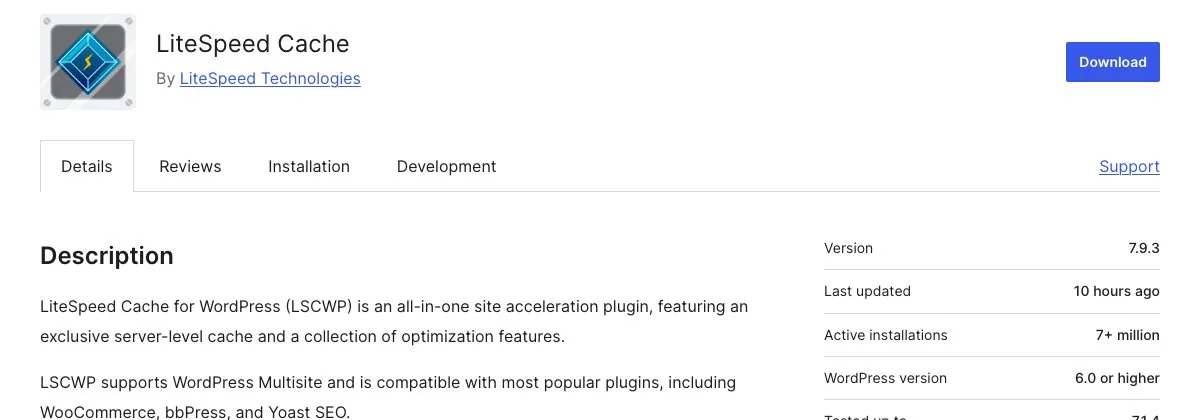
LiteSpeed Cache is the most-installed cache plugin on WordPress.org, and it’s free. Its page cache talks directly to the LiteSpeed web server, which makes it extremely fast, but that also means its page caching only works on a LiteSpeed (or OpenLiteSpeed) server.
The optimisation features (CSS/JS minify and combine, lazy loading, image optimisation, database cleanup, object cache support and critical CSS) work on any server. Some of them use the QUIC.cloud service, which is free up to certain usage levels and paid beyond.
WP Rocket is premium-only. Its strength is that it turns on sensible defaults the moment you activate it: page cache, browser cache, preloading, lazy loading, Delay JavaScript, Remove Unused CSS and database cleanup. It also integrates with its own RocketCDN.
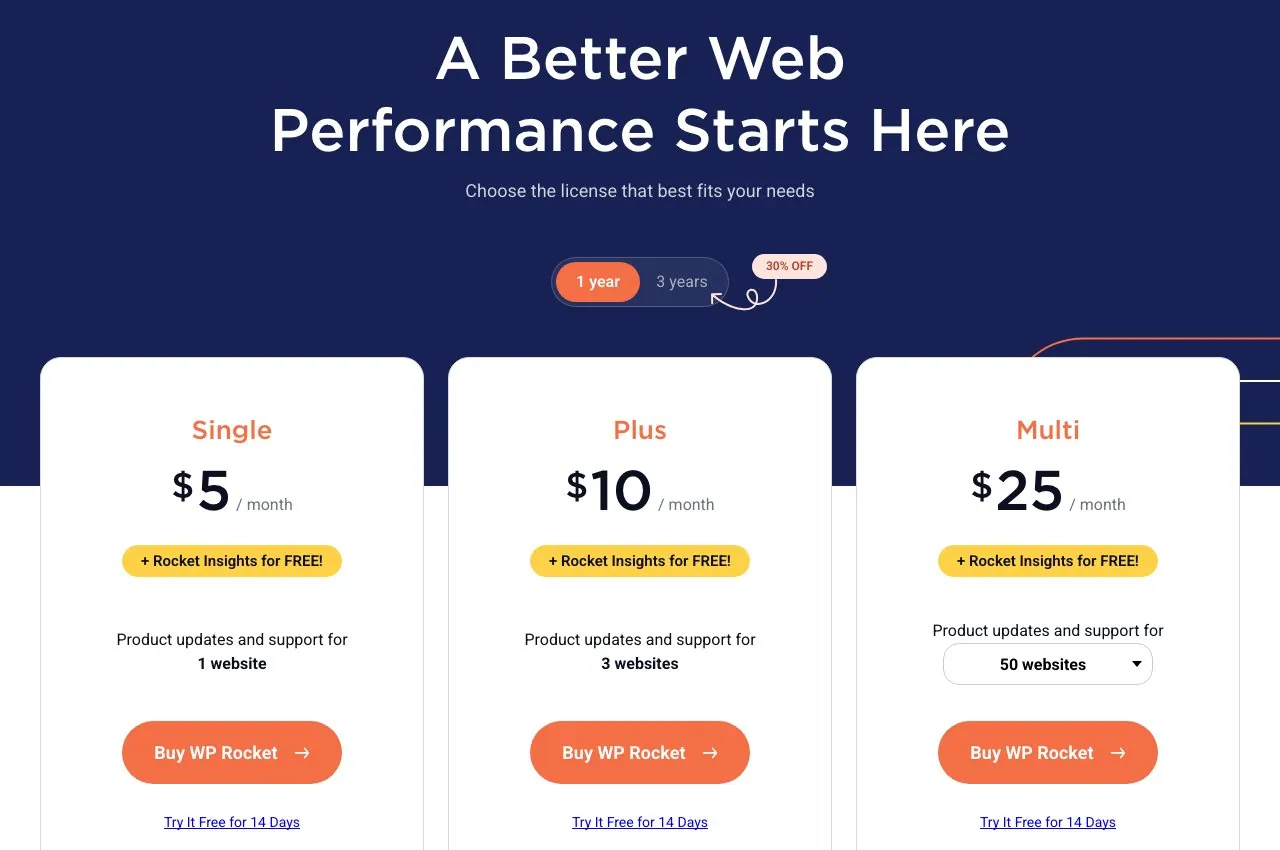
On 4 November 2026 the pricing page showed Single at $5/month (1 site), Plus at $10/month (3 sites) and Multi at $25/month (50 sites), all billed yearly, with 30% off for a 3-year term and a 14-day free trial. If you stop paying, the plugin keeps working but stops getting updates and support.

WP Fastest Cache has the highest average rating in this list (4.9 from more than 4,200 ratings). Setup is a single page of checkboxes. The free version covers page caching and browser caching; the Premium version (a one-time payment from $49 for one site) adds mobile cache, lazy load, Delay JS, database cleanup and image optimisation.
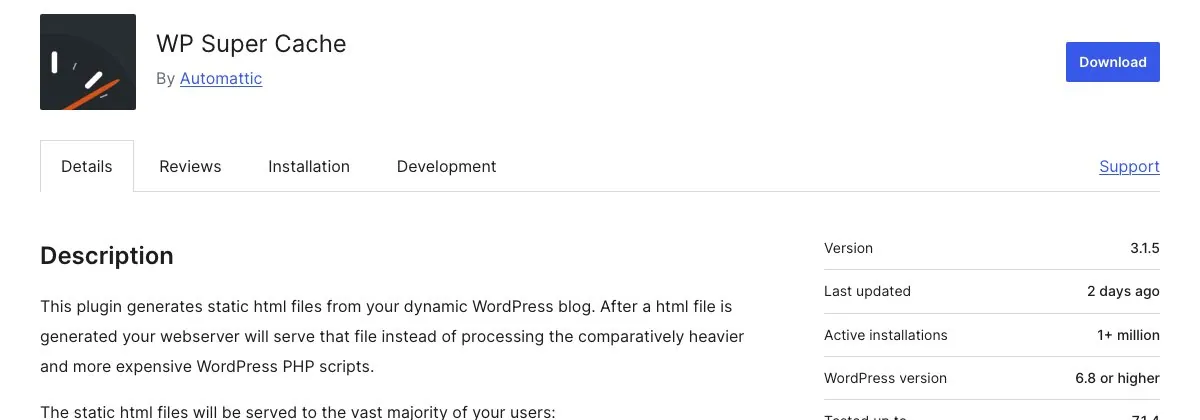
Made by Automattic (the company behind WordPress.com), WP Super Cache does one thing: it generates static HTML files and serves them instead of running PHP. It offers simple, expert (mod_rewrite) and WP-Cache modes, plus preloading and basic CDN support. It doesn’t minify files or lazy-load images, so pair it with a separate optimisation plugin if you need those.

W3 Total Cache covers page, object, database and browser caching, minification and CDN integration, with settings for almost everything. That’s great if you know what each option does and risky if you don’t. W3TC Pro ($99/year for one site) adds Remove Unused CSS, Delay Scripts, fragment caching and REST API caching.
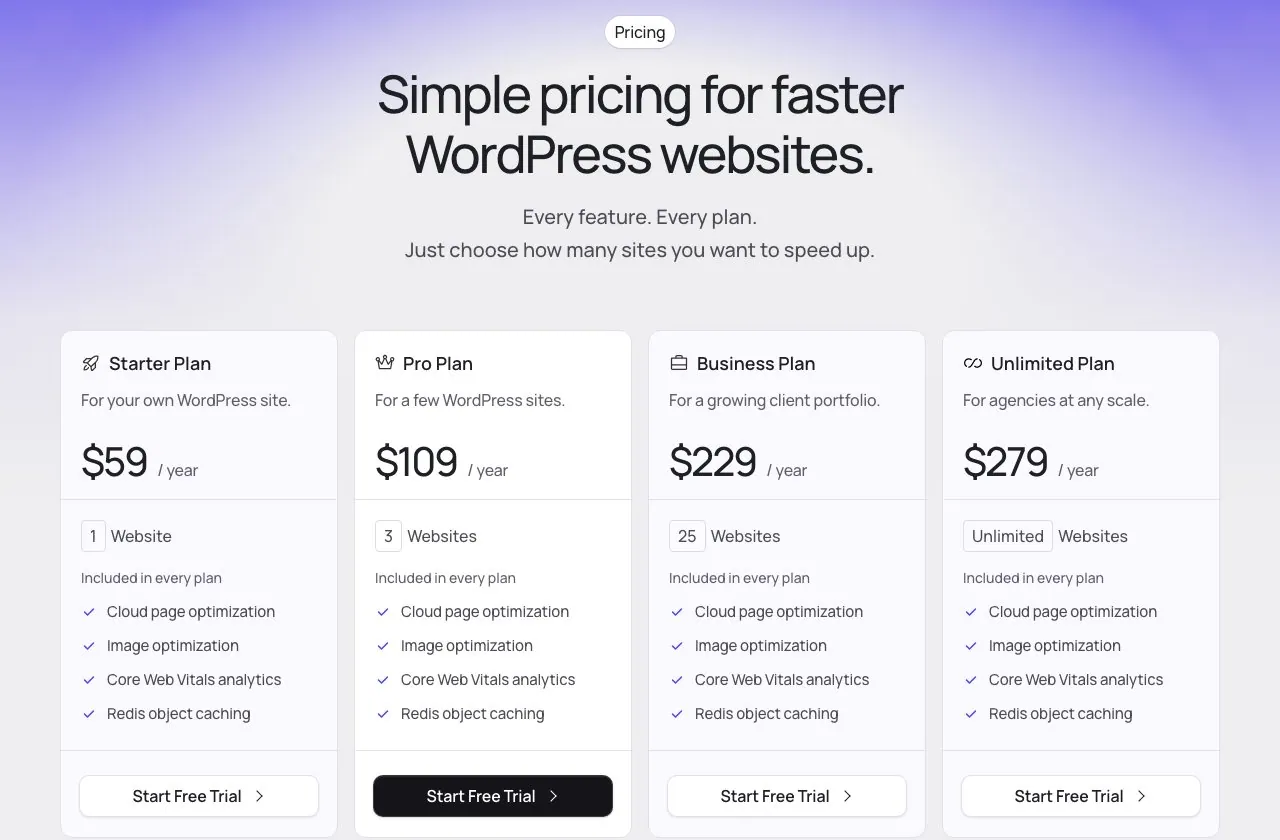
FlyingPress is a paid plugin aimed squarely at Google’s Core Web Vitals. It includes page caching, cloud-generated critical CSS, image optimisation and Redis object caching. Plans run from $59/year for one site to $279/year for unlimited sites, with a 14-day free trial. Its own FlyingCDN is sold separately.
| Your situation | Our pick |
|---|---|
| Hostinger or another LiteSpeed host | LiteSpeed Cache |
| Kinsta or WP Engine | Host cache only (add WP Rocket for optimisation if you want) |
| SiteGround | SiteGround Speed Optimizer |
| Cloudways | Breeze, or WP Rocket |
| Apache/Nginx shared hosting, no budget | WP Fastest Cache or WP Super Cache |
| Apache/Nginx, want the easiest setup | WP Rocket |
| You know your way around servers | W3 Total Cache |
Whatever you choose, install only one page-cache plugin. Deactivate and delete the old one (and clear its cache) before activating a new one, then test your site logged out, including forms and the checkout if you run WooCommerce.
Usually not for page caching. You may still want an optimisation plugin for things like lazy loading and minification, as long as its page cache is off.
Its optimisation features work, but its page cache doesn’t, unless you route traffic through QUIC.cloud’s CDN. On those servers, a plugin with its own disk cache is usually simpler.
If your host doesn’t give you a cache and you don’t want to tune settings, yes. If you’re on a LiteSpeed host, LiteSpeed Cache does most of the same for free.
Indirectly. Faster pages improve Core Web Vitals and user experience. Check the effect in Google Search Console’s Core Web Vitals report; our Search Console guide shows where to find it.
Keep going: pick an SEO plugin with our Yoast SEO vs Rank Math comparison, and see what SEO tools really cost. · BDIX hosting in Bangladesh compared
Keep reading
Short, free guides that take you from zero to your first real analysis. No sign-up needed.

Join our newsletter for new data guides, tool reviews and free resources.
By subscribing you agree to our Privacy Policy and consent to receive emails from DataFume.
© 2026 DataFume. All rights reserved.